
🔑 Key Takeaways
- ✔ No internet-connected baby monitor can be called completely impossible to hack.
- ✔ Traditional non-Wi-Fi monitors are usually harder to attack from the internet because they do not use cloud services.
- ✔ The safest choice depends on the monitor’s radio design, encryption, software updates, account security, and your home network.
- ✔ Parents who want strong privacy should look for encrypted local video, no cloud access, secure pairing, and regular security updates.
If you are asking, “Which Baby Monitors Cannot Be Hacked?”, the most important point is that no electronic device can promise zero hacking risk. A baby monitor that connects to the internet has more paths that an attacker could target. A local monitor that sends video only to a parent unit has a much smaller attack surface.
For many U.S. families, a non-Wi-Fi baby monitor can offer a strong mix of privacy, ease, and reliability. It can work without an internet connection, which means a remote attacker cannot simply reach it through a cloud account or online service. Still, local radio signals can have security risks, so the design of the monitor matters.
In my view, the better question is not only which baby monitors cannot be hacked. The better question is which baby monitors give an attacker the fewest realistic ways to get in. That shift helps parents compare Wi-Fi, non-Wi-Fi, DECT, FHSS, encrypted digital, and local-video systems with much more care.
Can Any Baby Monitor Truly Be Impossible to Hack?
The short answer is no. A claim that a baby monitor is completely impossible to hack would be too strong because every electronic device has some level of risk. Security depends on the hardware, software, radio system, physical access, and the way the product is used.
A monitor without Wi-Fi removes several common attack paths. It does not create an online account, does not need a cloud video service, and usually does not expose a camera directly to the internet. That makes remote attacks much harder, but it does not make every form of attack impossible.
This is why parents should be careful with product pages that use absolute claims. A safer buying goal is to reduce remote access, use strong encryption, limit data sharing, and choose a product from a maker that takes security updates seriously.
- ✦ No absolute guarantee
No consumer baby monitor can honestly promise that every possible attack will fail forever.
- ✦ Smaller attack surface
A monitor without internet access has fewer remote entry points than a cloud-connected camera.
- ✦ Security still matters
A local radio monitor can still face risks if its wireless link is weak or poorly designed.
What Does Hacking a Baby Monitor Mean?
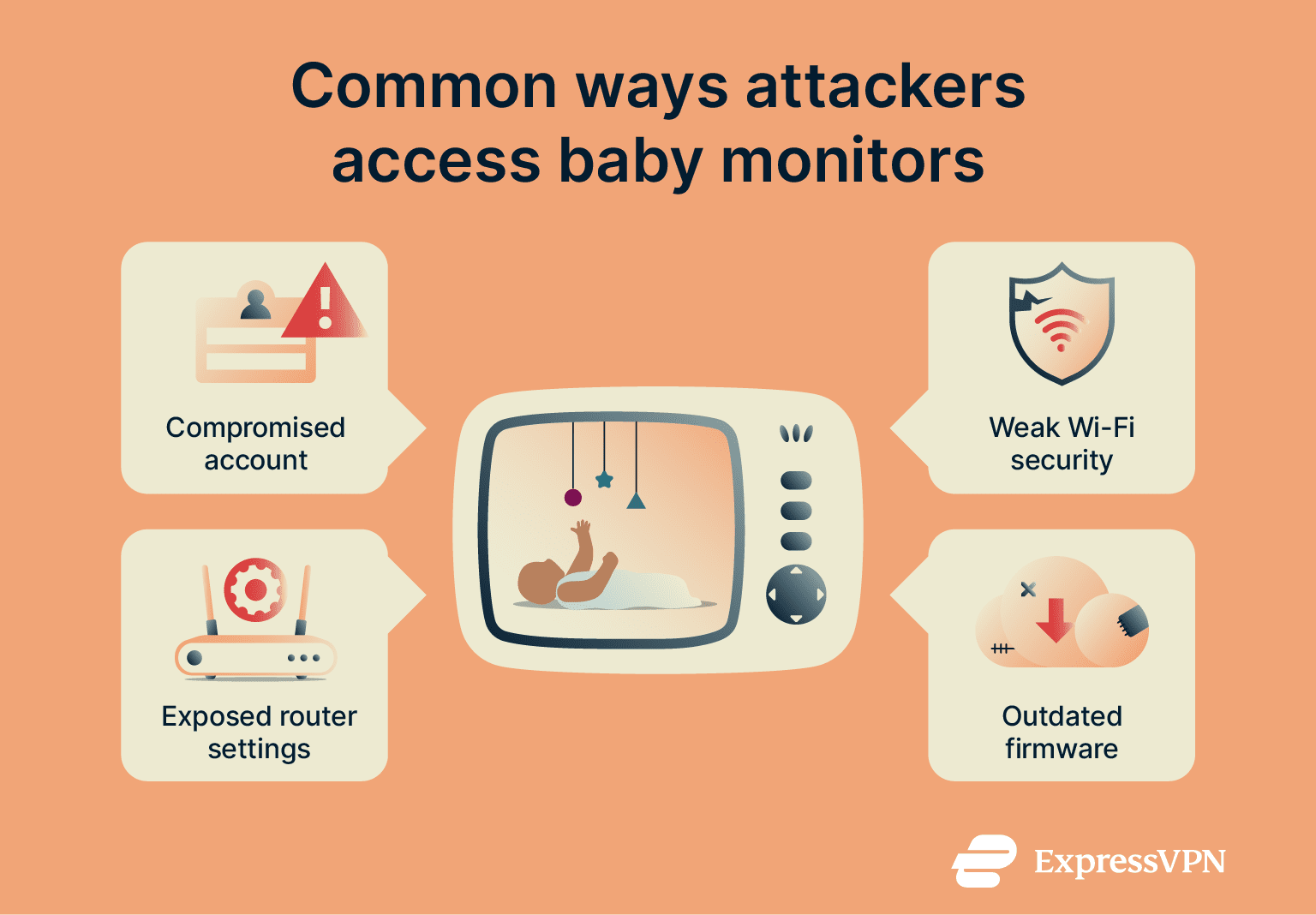
Hacking can mean several things. An attacker might try to view a camera feed, access an account, control a camera, hear audio, steal stored data, or exploit a flaw in the monitor’s software. These risks are not equal, and the attack method depends on the type of monitor.
For a Wi-Fi model, an attacker may target the camera, mobile app, cloud account, home router, or an exposed service. For a local monitor, an attacker would generally need to target the short-range wireless link or gain physical access to the device.
Why Non-Wi-Fi Baby Monitors Are Usually Safer
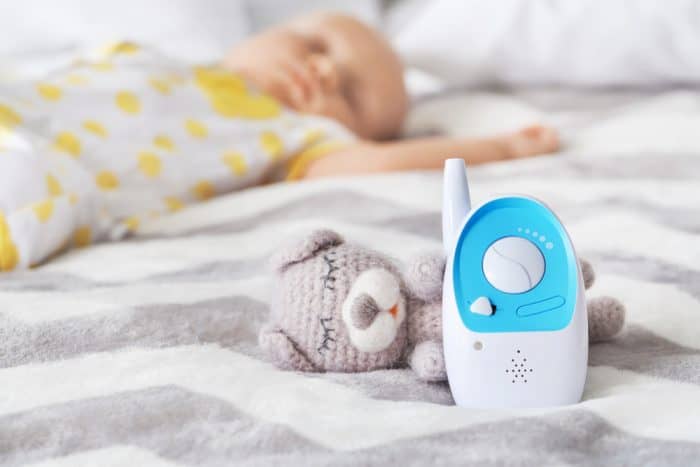
Non-Wi-Fi baby monitors are often the best answer for parents who ask, “Which Baby Monitors Cannot Be Hacked?” These systems normally use a direct wireless connection between the camera and the parent unit. The video does not need to travel through your home router or a remote cloud server.
That design removes many common internet threats. There is no cloud password to steal, no camera account to take over, and no remote video service that must stay online. An attacker also cannot normally reach the camera from another city just by finding its internet address.
However, non-Wi-Fi does not mean non-wireless. The camera still sends information through radio signals. A secure digital system with encryption and a strong pairing method is a better choice than an old analog monitor that sends an open signal.
- ✦ No cloud video
The camera can send video directly to the parent unit without storing it on a remote server.
- ✦ No online account
There is no baby-monitor account that an attacker can target through a stolen password.
- ✦ Less remote exposure
The camera is not designed to accept video requests from the public internet.
- ✦ Works during internet outages
The monitor can usually keep working even when home internet service goes down.
Digital FHSS Baby Monitors
FHSS stands for frequency-hopping spread spectrum. Some digital baby monitors use this method to change radio channels during communication. When combined with proper digital security and device pairing, it can make casual interception much harder than with older analog systems.
Parents should not treat the words FHSS alone as proof of perfect security. A product can use frequency hopping and still have weak security elsewhere. Look for clear information about encryption, pairing, privacy, and software support.

Which Types of Baby Monitors Have the Lowest Hacking Risk?
If privacy is your top concern, start with the connection type. The fewer systems that sit between the camera and the parent, the fewer places an attacker can try to gain access.
A local video monitor with a dedicated parent screen is usually a strong privacy choice. A wired camera that never connects to the internet can also reduce remote attack risk, although cable placement and room layout may make it less practical for many families.
Wi-Fi monitors are not automatically unsafe. Many modern models use encryption, secure cloud systems, two-factor authentication, and regular updates. The key is to compare the full security design rather than judging a product by Wi-Fi alone.
- ✦ Local digital monitor
Usually offers low remote attack exposure because video stays within the local camera-to-parent-unit system.
- ✦ Encrypted non-Wi-Fi monitor
Provides a useful balance between privacy and modern features while avoiding direct internet access.
- ✦ Wired local camera
Can greatly limit wireless attack paths when the camera and viewing system remain fully local.
- ✦ Secure Wi-Fi monitor
Can be a reasonable choice when it uses strong account security, encryption, updates, and limited cloud access.
Analog Monitors Are Not Automatically the Safest
Older analog monitors may look simple because they do not use the internet. But simple technology does not always mean strong security. Some analog systems can transmit signals that nearby equipment may detect more easily than modern encrypted digital systems.
If you want a non-Wi-Fi monitor, a modern digital model with secure transmission is usually a better target than an old analog design. The goal is not merely to remove Wi-Fi. The goal is to protect the video and audio while they travel from the camera to the parent unit.
DECT Baby Monitors
DECT is a digital radio technology used in many cordless communication products. Some baby monitors use DECT for secure local audio links, and certain models also support video through related digital systems.
A DECT label by itself does not prove that a product is immune to attacks. Parents should still check the exact model’s security design and whether the manufacturer provides useful information about privacy and updates.
How Wi-Fi Baby Monitors Can Be Hacked
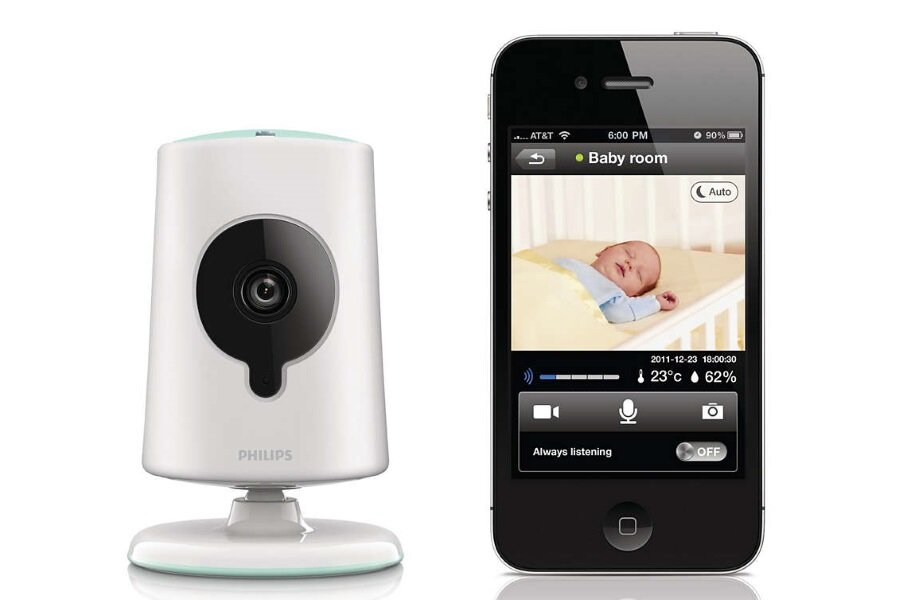
To understand which baby monitors cannot be hacked, it helps to understand why internet-connected models have more risks. A Wi-Fi monitor often connects to your router, a mobile app, and a cloud service. Each connection adds another system that needs protection.
An attacker may target a weak password, a reused password, an outdated app, an old camera firmware version, or a vulnerable cloud service. A compromised home router can also create problems for connected devices on the same network.
This does not mean that every Wi-Fi baby monitor is dangerous. It means parents should treat a Wi-Fi camera like any other connected smart-home device. Security should be part of the buying decision, not an afterthought.
- ✦ Weak passwords
A simple or reused password can make an online camera account easier to compromise.
- ✦ Old firmware
Unpatched software can leave known security weaknesses open for attackers.
- ✦ Cloud accounts
A cloud-connected monitor adds another account and service that must stay secure.
- ✦ Unsafe network setup
A poorly secured home network can increase the risk to connected smart devices.
The Cloud Is a Major Difference
A cloud-connected camera can let parents view the nursery while away from home. That convenience is useful for work, travel, or checking on a sleeping baby from another room. But remote access requires additional security controls.
A local monitor gives up some remote features in exchange for a smaller attack surface. This is a classic privacy trade-off: more access can bring more convenience, but it can also create more security work.
What Features Should You Look For in a Secure Baby Monitor?
If your goal is to find the closest thing to a hack-resistant baby monitor, focus on measurable security features. A product name or marketing phrase cannot tell you enough. The connection method, encryption, updates, account controls, and data policy matter far more.
For a non-Wi-Fi monitor, look for encrypted digital transmission and secure camera-to-parent-unit pairing. For a Wi-Fi model, look for strong encryption, two-factor authentication, secure login, automatic or regular firmware updates, and a clear privacy policy.
The best product is also one that the manufacturer still supports. A monitor may have excellent hardware, but old software can become a serious weakness over time. Security is not a one-time feature; it needs ongoing maintenance.
- ✦ Encrypted video
Encryption helps prevent an intercepted video or audio stream from being easily understood.
- ✦ Secure pairing
A secure pairing process helps prevent an unknown device from joining the camera’s private connection.
- ✦ Two-factor authentication
For internet-connected monitors, two-factor authentication adds another protection layer beyond the password.
- ✦ Firmware updates
Regular updates can fix security flaws that appear after a product reaches the market.
- ✦ Limited data collection
A product that collects less personal data creates fewer privacy concerns and fewer valuable targets.
- ✦ Clear privacy policy
The manufacturer should explain how video, audio, account data, and device information are handled.
Check the Manufacturer Before You Buy
Security is partly a company-quality issue. Look for a maker that explains its security practices, publishes software updates, and gives users a clear way to report security problems.
Be cautious when a product page makes broad claims such as “100% secure” without explaining how the system works. Strong security claims should come with useful technical details and a clear support policy.
Do Not Confuse Privacy With Security
Privacy and security are related, but they are not the same. Security asks whether someone can gain unauthorized access. Privacy asks what data the company collects, stores, shares, or uses.
A camera can have strong login security while still collecting more data than a privacy-focused parent wants. Review both areas before choosing a monitor.
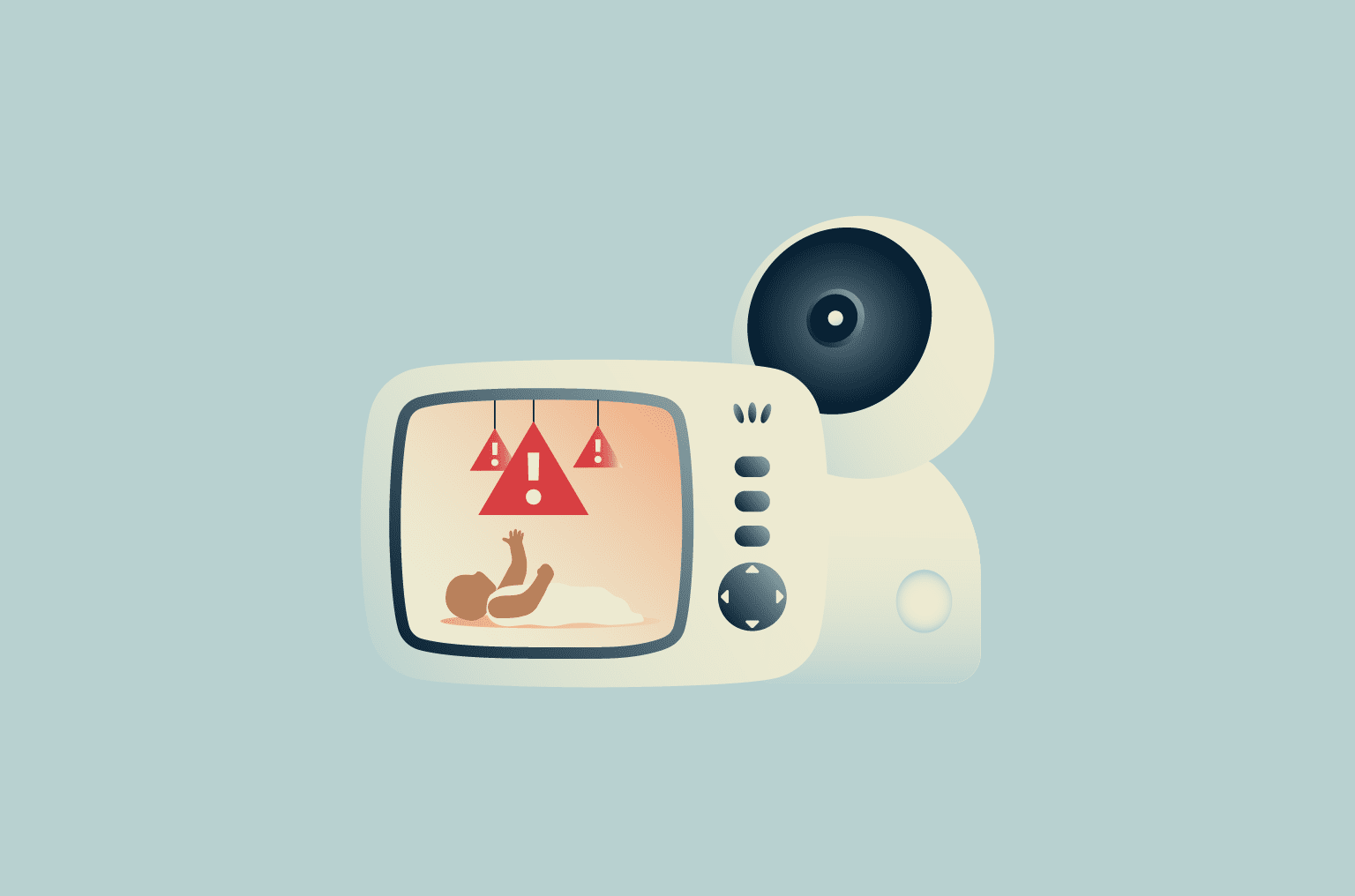
How to Make a Wi-Fi Baby Monitor Much Harder to Hack
If you need remote viewing, you do not have to abandon Wi-Fi. You can reduce the risk by treating the monitor as a security-sensitive device. The basic rules are simple, but they matter.
Start with a unique password for the monitor account. Turn on two-factor authentication when the manufacturer offers it. Keep the camera firmware and mobile app updated, and secure the home router with a strong administrator password and current firmware.
It is also smart to review account access from time to time. Remove old users, disable features you do not need, and check whether the camera offers a local-only mode. These small steps can reduce unnecessary exposure.
- ✦ Use a unique password
Create a password used only for the baby monitor account.
- ✦ Enable two-factor authentication
Use an extra login step when the camera service supports it.
- ✦ Update everything
Keep the camera firmware, app, router, and phone software current.
- ✦ Secure the router
Use a strong router password and modern Wi-Fi security settings.
- ✦ Limit account access
Give access only to people who need it and remove old accounts.
- ✦ Disable unused features
Turn off remote access, cloud storage, or other features you do not need when the product allows it.
Use a Separate Smart-Home Network
A separate network can add another layer of protection for connected devices. Many modern routers let you create a guest or smart-home network that keeps selected devices apart from computers and other important equipment.
This is not a replacement for good passwords or updates. It is an extra barrier that can reduce the impact if one smart device is compromised.
Signs That a Baby Monitor May Have a Security Problem
Parents sometimes worry after a camera moves on its own, an unknown person appears in the account, or the device behaves in an unusual way. These signs do not always prove hacking. A software bug, app error, network problem, or automatic feature can cause similar behavior.
Still, unusual activity deserves attention. If you suspect unauthorized access, disconnect the camera from the internet if possible, change the account password, sign out other sessions, update the device, and review account access.
If the problem continues, contact the manufacturer through its official support channel. For a local non-Wi-Fi monitor, unusual behavior may need a different diagnosis because the device does not depend on a cloud account.
- ✦ Unknown account activity
Unexpected users, login notices, or account changes can indicate that someone else accessed the account.
- ✦ Unexpected camera movement
A camera that moves without a known cause should be checked, especially if remote control is enabled.
- ✦ Unusual audio
Unexpected voices or sounds may be caused by interference, nearby devices, or unauthorized access and should be investigated.
- ✦ Unknown settings changes
Changes that you did not make can be a reason to review account and device security.
What to Do First
If you believe someone has unauthorized access, disconnect the camera from the internet first when practical. Then change the password from a trusted device and enable two-factor authentication if available.
Do not assume that every strange event proves a hack. Check the manufacturer’s support information and device logs when available. A careful response is better than panic.
Non-Wi-Fi vs. Wi-Fi Baby Monitors: Which Is Better for Privacy?
There is no single best monitor for every family. A non-Wi-Fi monitor usually wins on simplicity and remote privacy risk. A Wi-Fi monitor wins when parents need remote viewing, app controls, cloud recording, or smart-home features.
Think of the choice as a trade-off between convenience and exposure. If you only need to watch your baby from another room, a secure local monitor may be enough. If you work outside the home and want to check the nursery from your phone, a well-secured Wi-Fi model may be worth the added complexity.
For parents who ask, “Which Baby Monitors Cannot Be Hacked?”, the practical answer is to choose the simplest system that meets your needs. Every feature that you do not need is one less feature that needs to be secured.
- ✦ Non-Wi-Fi advantage
Lower remote exposure and simple operation make local monitors attractive for privacy-focused families.
- ✦ Wi-Fi advantage
Internet access enables remote viewing and advanced features that local systems may not provide.
- ✦ Privacy advantage
A local monitor can keep video and audio within the home rather than sending it to a cloud service.
- ✦ Convenience advantage
A connected monitor can let parents check the nursery while away from home.
A Simple Decision Rule
If you do not need remote access, start by shopping for a secure non-Wi-Fi digital monitor. If remote access is important, choose a Wi-Fi model with strong account security, encryption, two-factor authentication, and a proven update policy.
This approach is more useful than searching for a magical product that cannot be hacked. Security is about reducing risk to a level that fits your family’s needs.
Common Mistakes Parents Make When Choosing a Baby Monitor
Many buying mistakes come from focusing on picture quality and smart features while ignoring security. A sharp 2K or 4K image does not help if the account has a weak password or the device no longer receives security updates.
Another mistake is assuming that non-Wi-Fi means completely secure. Local wireless systems still need good protection. Parents should check whether the digital signal is encrypted and whether the camera uses secure pairing.
The final mistake is buying based only on reviews from other parents. User reviews can reveal useful details about battery life and ease of use, but they may not explain the product’s security design. Use reviews as one input, not as proof of cybersecurity.
- ✦ Choosing features over security
Parents may focus on resolution, zoom, and smart alerts while overlooking account and software security.
- ✦ Assuming non-Wi-Fi means unhackable
A local radio connection can still have weaknesses if the transmission is poorly protected.
- ✦ Ignoring update support
A product with no clear update path can become harder to trust as new security flaws appear.
- ✦ Trusting absolute claims
Claims such as completely hack-proof should be treated with caution because no connected technology can guarantee zero risk.